Do You Need to Share Your Password to Buy Followers?
No. Here is what a seller actually needs, why some ask for your login anyway, and what to do in the first hour if you have already handed it over.
No. A follower order needs your public username or link and nothing else. If a site asks for your password, close the tab.
That is the short answer, and it may be all you came for. The rest of this guide explains why the answer is so firm, what a legitimate order does need, and what to do if you have already typed your login into a site you now doubt.
Why a seller doesn't need your login
Think about how a follow works. Somebody else's account taps follow on your public profile. Your profile doesn't have to do anything, in the same way that you don't need a stranger's password to follow them. Likes, views and comments work the same way: they happen on a public post, from outside.
The delivery is entirely external, so your login adds nothing. All the seller has to know is where to deliver.
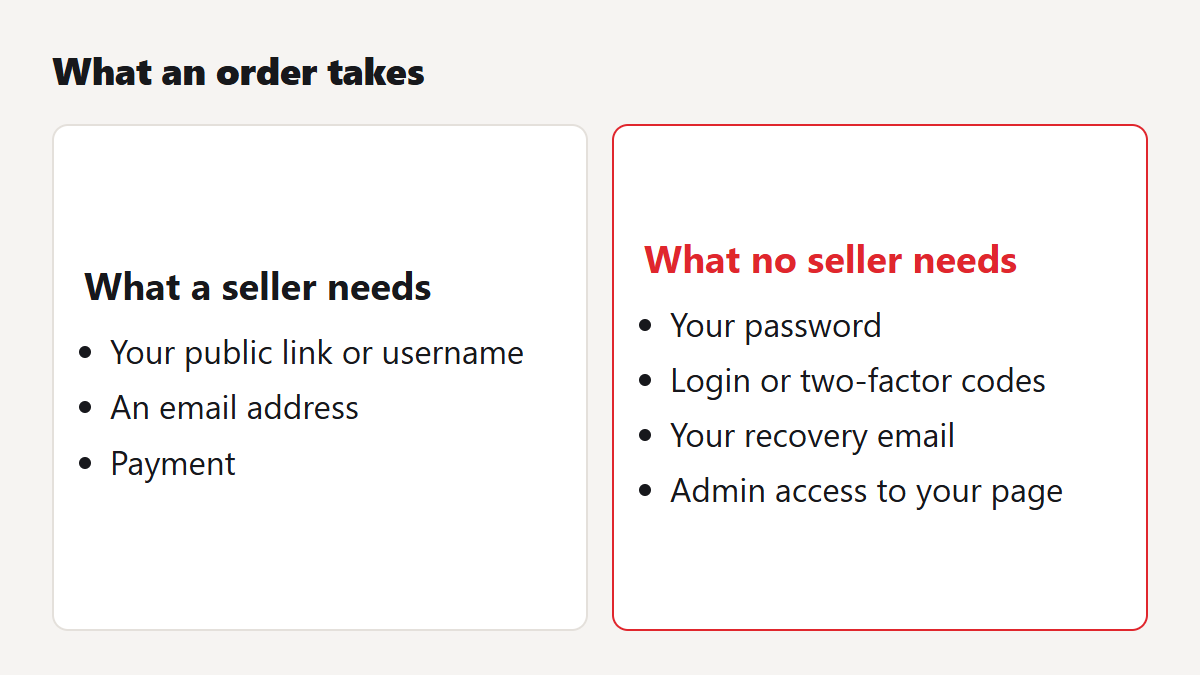
What a normal order asks for
- A public link or username, so the order goes to the right place.
- An email address, for your confirmation and order reference.
- Payment. On a card, your details go to the payment processor. We never see or store full card numbers.
The one thing we do need from you is a public profile while the order runs, because a private account can't receive it. You can read that in our terms, which also say in plain words that we never ask for your password and that you should never give it to us.
Why some sites ask for it anyway
There are three common reasons, and none of them is good for you.
They want the account
Established profiles have resale value. A site that collects logins can change the email address, lock you out and either sell the account or demand money to return it.
They use your account as the engine
Some old "follow for follow" tools work by logging in as you and following, liking or commenting on other accounts in bulk, in exchange for follows back. This is the kind of third-party app Instagram went after in 2018. Your account is doing the rule-breaking there, under your name, which leaves you far more exposed than an order placed from outside. Instagram's announcement at the time told affected users to change their passwords for exactly this reason.
It's phishing
Plenty of "free followers" pages exist only to collect logins. They look like a generator or a giveaway, and they ask you to sign in with Instagram to claim your prize. Your details go straight to whoever built the page, and no followers ever arrive.
The disguises to watch for
People rarely get asked outright, "please send us your password". The request usually hides inside something that sounds technical or harmless:
- A login box on the seller's own site, styled to look like Instagram or TikTok.
- A message from "support" asking for a code that has just arrived by text or email. That code is your two-factor login, and anyone asking for it is trying to get in.
- An instruction to turn off two-factor authentication "so the order can go through".
- A request to add someone as an admin on your Facebook page, or as a manager on your business account.
- A "verify your account" link sent by direct message after you place an order.
- An app you are told to install, which then asks you to log in.
A real order needs none of this. FollowersZeal support will never ask for a password or a login code, and our email only comes from followerszeal.com addresses. If you receive anything else in our name, send it to support and don't click.
If you have already shared your password
Move quickly, and do these in order. Most account thefts take a few minutes of attention to stop if you catch them early.
- Change the password now, from the app or the official website. Type the address yourself. Don't use a link from a message.
- If you use that password anywhere else, change it there too, starting with your email account. Your email is the key to everything else.
- Turn on two-factor authentication, preferably with an authenticator app.
- Log out of all other sessions. Instagram lists the devices signed in to your account in its Accounts Centre security settings, and you can remove any you don't recognise.
- Remove third-party access. Look through the apps and websites connected to the account and revoke anything you don't remember approving.
- Check the email and phone number on the account. Thieves change these first, so put yours back if they have moved.
- Look through your recent activity for posts, follows or direct messages you didn't make, and warn your contacts if anything went out in your name.
- If you are locked out, use the platform's own recovery form. Don't pay anyone who offers to recover it for you: account recovery "services" are a scam in their own right.
Other things worth keeping private
Passwords get all the attention, though a few other details deserve the same care. Never send a photo of your ID to a follower seller, because no order requires one. Don't share the backup codes from your two-factor setup. Keep your recovery email private too, since a thief who knows it has a head start on a phishing attempt. If a site wants any of these, treat it the same way as a password request.
Checking a seller before you pay
A password request is the clearest warning sign, and it isn't the only one. Fake reviews, no refund terms and no way of reaching a person are all worth looking for. Our scam site checklist takes about five minutes to work through.
If you want to see a password-free order in practice, a free trial asks for a link and an email. The paid pages work the same way, starting with Instagram followers, and you can check out as a guest with no account at all. For the wider risks of buying, including the ones a password policy can't fix, read is it safe to buy Instagram followers?
Real, paced delivery for Instagram, TikTok, YouTube and 20+ more platforms — with a free 2-year refill on every order.